Launching now

Buildesly - Project OS for real estate developers

Unify planning, execution, budgets, documents, and portfolio reporting so every project stays visible — from boardroom to site.

Replace fragmented spreadsheets and chat threads with one operational workspace for delivery teams, contractors, and leadership — from first feasibility to handover.

Planning, budgets, documents, and execution in one workspace

Clear ownership across internal teams, contractors, and partners

Reporting and visibility across every active project

Built for developers, project managers, site teams, and external contractors.

Buildesly - Project OS

Buildesly - Project OS

Real-estate - plan, execute, budget, report - one workspace.

Check it out on Product Hunt →

Why leading real estate teams choose Buildesly - Project OS

Visibility across phases

Track planning, execution, approvals, and handover in one shared workspace.

Faster site coordination

Assign owners, set deadlines, and unblock issues without endless follow-ups.

Predictable delivery

Standardized workflows and milestone tracking help teams deliver on time.

How teams measure impact

4

Core workflows unified

24h

Response target for onboarding

EU

Built for European teams

Built for the teams that move projects forward

  • Real estate developers managing multiple projects
  • Project managers coordinating timelines and dependencies
  • Site managers overseeing execution quality
  • Contractors and partners working with clear ownership

What you can run in Buildesly - Project OS

  • Programme planning, budgets, and milestone tracking
  • Site execution tasks and issue management
  • Documents, approvals, and delivery checkpoints
  • Handover readiness and close-out lists
  • Portfolio-wide reporting for leadership and investors

How Buildesly - Project OS works in practice

Step 1

Set up your project structure

Create projects, phases, and key milestones in minutes.

Step 2

Assign ownership and deadlines

Give every task a clear owner, due date, and status.

Step 3

Execute and report with confidence

Track progress live, flag blockers early, and share clear updates.

See how it looks in practice

A focused workspace for planning, execution, and reporting in one place.
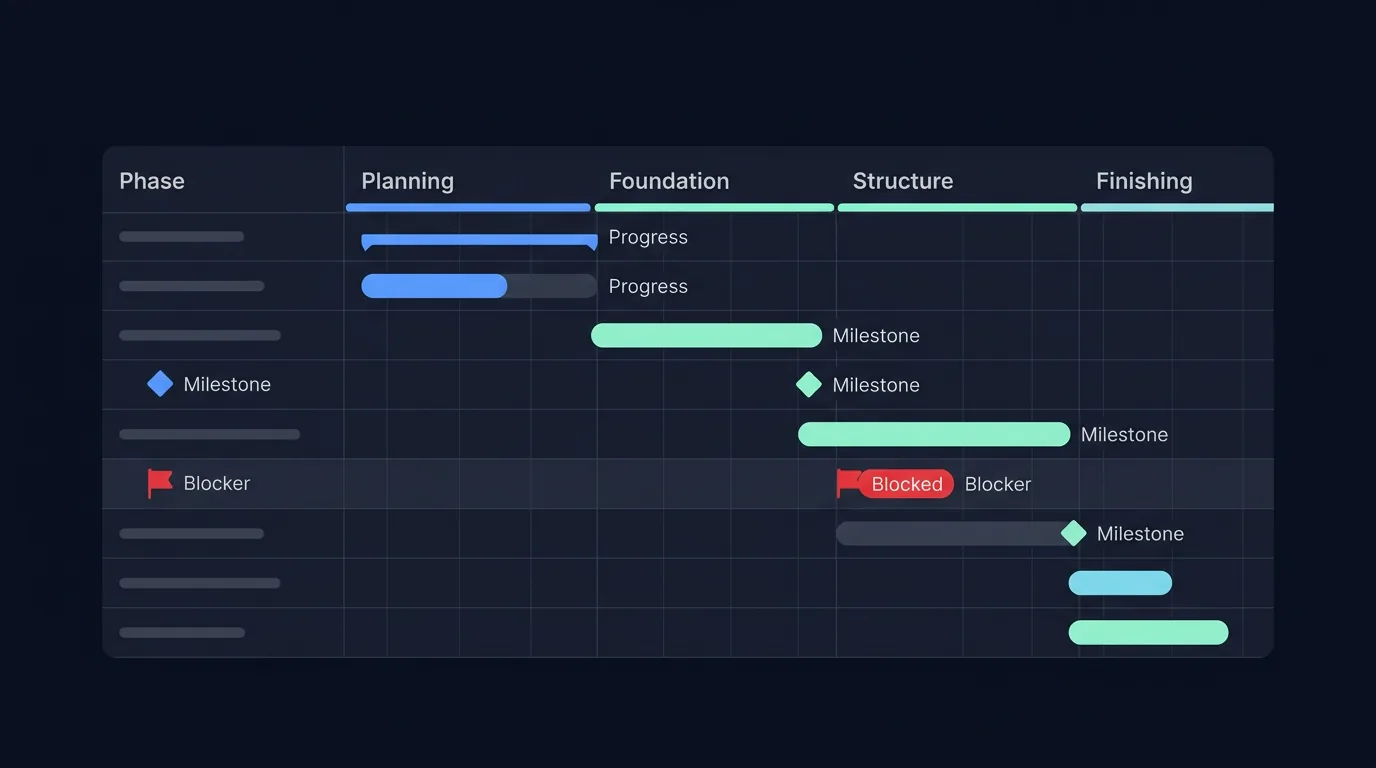
Illustration of a project timeline with phases, milestones, and a blocked task highlighted.

Project timeline

Track phases, milestones, and blockers in a single operational view.
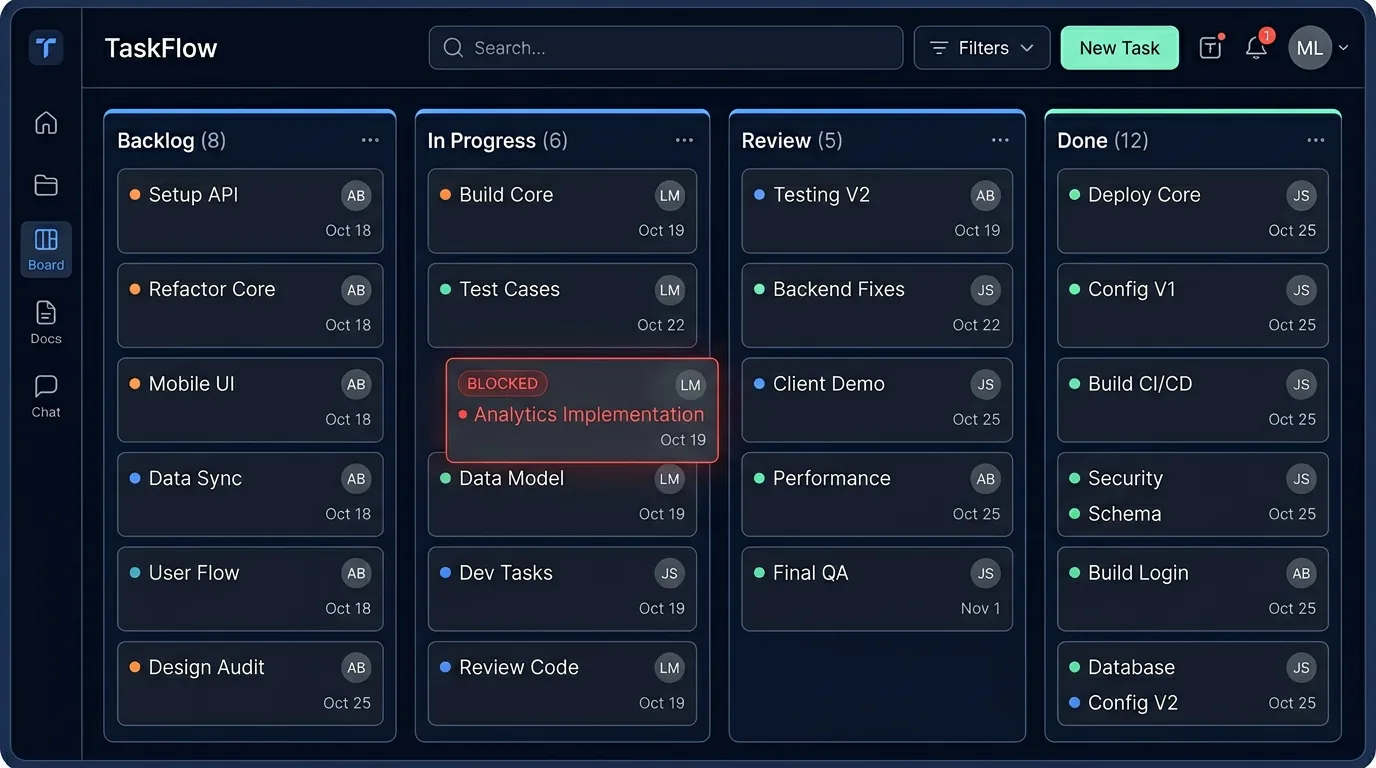
Illustration of a kanban-style execution board with tasks across workflow columns.

Execution board

Assign ownership, monitor progress, and unblock work in real time.
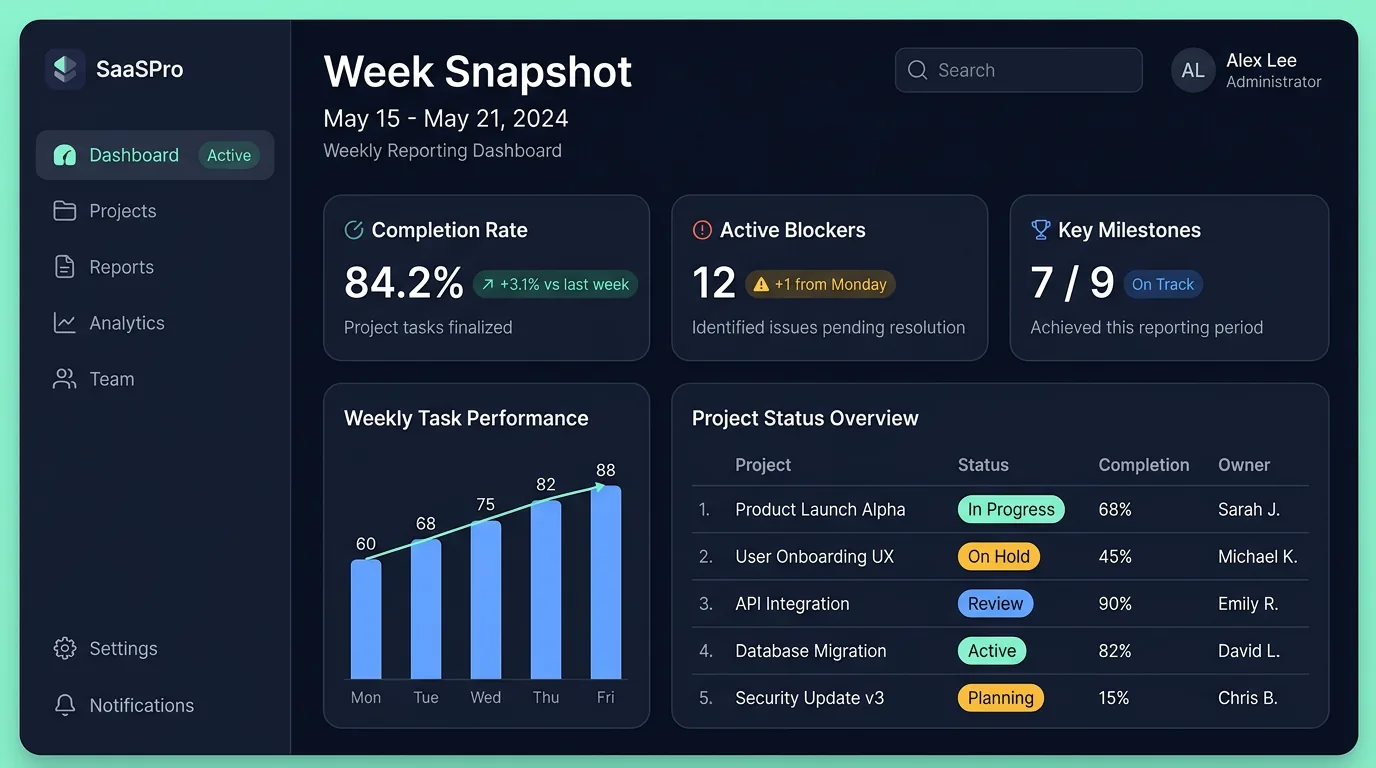
Illustration of a weekly reporting dashboard with KPIs and a progress snapshot.

Weekly reporting

Generate clear snapshots for leadership, partners, and investors.

From fragmented updates to operational clarity

Before

Spreadsheets, chat threads, and unclear accountability slow delivery.

After

One source of truth, clear ownership, and faster decisions at every phase.

Roadmap

We keep delivery transparent with clear status labels: planned, in progress, priority.

Project setup for new residential phases

in progress

Standardized onboarding for projects, blocks, and unit-level tracking.

Site execution board with comments and activity

priority

Fast board for field teams with mentions, approvals, and handover updates.

Investor and contractor notifications

planned

In-app alerts plus weekly digests for blocked tasks and milestones.

Automation for reports and delivery checklists

planned

Automated summaries for PMs and ready-to-share progress snapshots.

Pricing

Early access

Early access pricing coming soon

We are onboarding a limited number of teams and finalizing pricing based on real implementation needs.

Leave your details to get first access to pricing and rollout options.

Founding customer spots

Limited founding customer spots

Founding customers get priority onboarding, direct product feedback channels, and preferred launch terms.

  • Priority setup support
  • Closer roadmap influence
  • Preferred early terms

Frequently asked questions

Is Buildesly - Project OS for one project or multiple projects?

Both. Start with one project and scale to a full portfolio.

Can external contractors be included?

Yes. Bring external teams into clearly scoped workflows.

How do roadmap statuses work?

Planned means scheduled, in progress means actively being built, and priority means the next critical delivery.

How long does onboarding take?

Most teams can set up their first project structure in under a day.

Do you offer guided onboarding?

Yes. Early-access customers get direct onboarding support.

Bring clarity to every project phase.

Join early access and run your next development cycle with fewer delays and better control.

Join waitlist

Cookies and your privacy

We use cookies and similar technologies to run this site, remember your choices, and measure performance. Read our Cookie policy and Privacy policy.

Privacy preferences

Choose which optional categories we may use. Strictly necessary storage is always on so the site and this preference panel work. You can change your mind anytime via “Cookie settings” in the footer.

Strictly necessary

Always on

Required to store your consent decision and to deliver core security and functionality. Cannot be disabled.

Preferences

Remembers non-essential choices such as light or dark theme so we do not have to ask every visit.

Analytics

Helps us understand traffic and improve the product (for example aggregated page views). We only enable third-party analytics if you allow this category.

Marketing

Used to measure campaigns and relevance if we add advertising or conversion pixels later.